Custom Portraits, Custom Conversations, and More Customizations!
You can now use portraits from your favorite artists!
If you were here on April 1, you probably remember Catlock Viewer. Now you can somewhat relive that day by setting your character portraits to DieChance's Catlock, Jill's Jill's Mod, or ToastyGhostey's Deadlock Toasted. If those aren't to your taste, you can also choose from the standard in-game critical, gloat, minimap, and normal portraits. You can also pick which icon a character should use when you hover over them or when they're speaking.
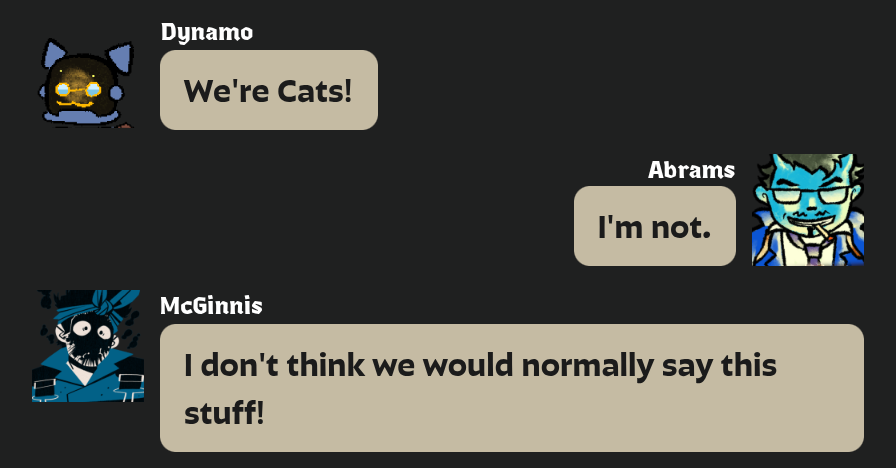
You may have noticed a few things about that conversation. It's not real, even though you can view it here, the screenshot doesn't look like the normal conversation view, and it's cropped more than usual. That's because there are three other new features: custom conversations, generated screenshots, and a new conversation view.
You can now make custom conversations directly from the conversations page. These conversations can be shared with links, though the links can get pretty long. There's also a screenshot button that will generate a screenshot for you, and a new "Game Chat" conversation view designed to emulate the in-game chat. I plan to add more views in the future, such as the old deadlock chat and the chat that appears on the top of the screen.
There have also been a bunch of smaller updates you may not have noticed over the past few months. The font for voicelines now defaults to the in-game chat font, though you can disable that in the settings. There are also many new settings for customizing your experience, which you can access by clicking the top-right corner of the navbar.
Localization options are now available as well, though some of them have been rolled out for a while. Deadlock has a fairly complete Chinese localization, along with some less-complete localizations you can choose from. I've also added settings and optimizations for people who visit the site with translation software. Where possible, you should be able to see your language's official subtitles while still using machine translation for the rest of the site, with clear indicators of what is hand-translated versus machine-translated by looking at the text source flag. Please feel free to leave feedback in the Discord on how I can improve this experience.
There are also now fan-made localizations. Russian is currently the only one available, but please contact me if you are involved with a community localization project and would like your work to appear on the site.
Finally, there have been a bunch of backend changes and optimizations. Hopefully everything should feel a bit snappier, and these changes should help me release updates more quickly in the future.
If you have any feedback, please let me know in the VLViewer thread on the official Discord. I, Mcall, am the sole developer, so I may take a bit to respond, but I try to take all feedback into account.