Tags, Fan Dubs, and Other Things I've Been Working On
Fan-made Russian audio, a Discord bot, playable custom conversations, and new conversation styles.
Since VLViewer 2.0, I've been adding more ways to find, listen to, and do things with the dialogue on the site. Here's what I've been working on.
Tags
I made VLViewer to help people look through voice lines, but some of the context still gets lost when you're browsing by character or searching for a word. Tags help fill that gap by grouping lines around lore topics and other interesting connections, from mentions of people and places to the insults characters throw at each other.
You can filter your searches by tags, or go to the dedicated tag pages to see each tag's lines across all official game versions.
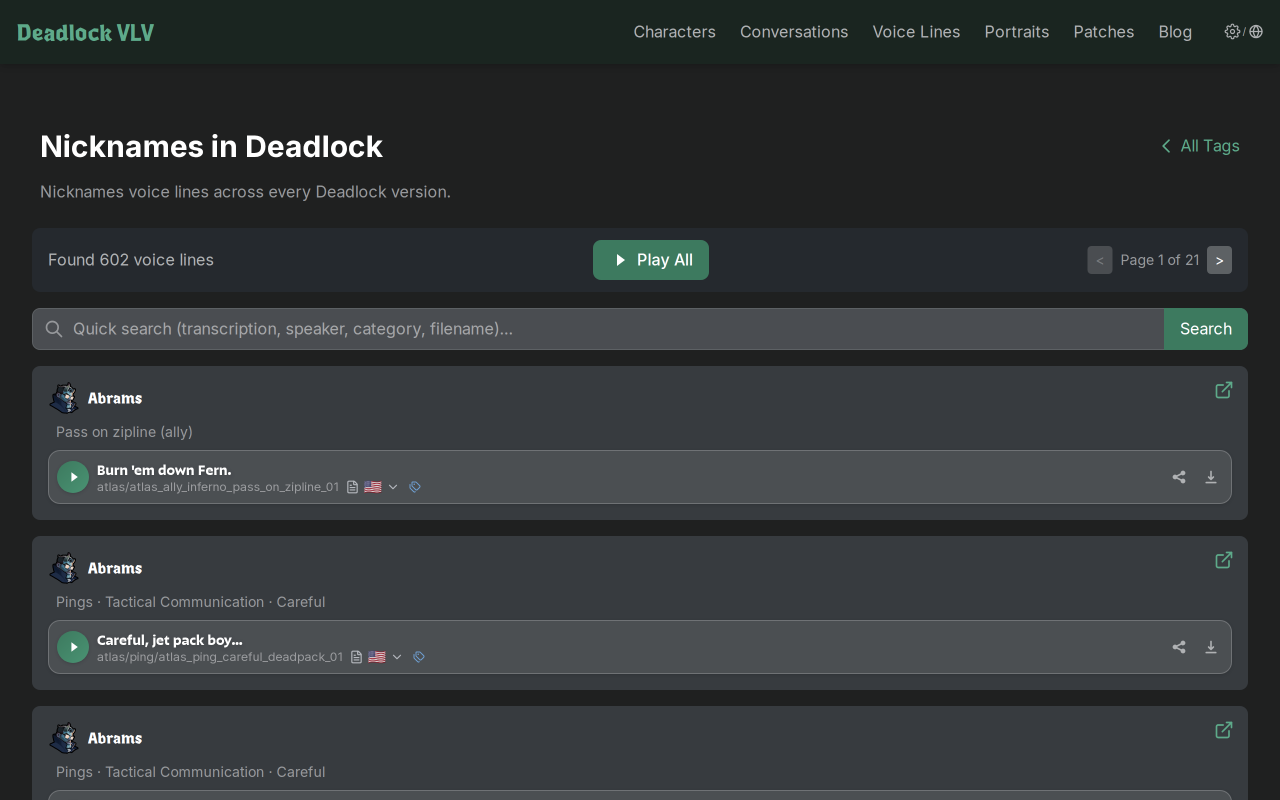
If you come across a line anywhere on the site that should be in a tag but isn't, use the  icon next to that line to suggest adding it.
Fan-Made Russian Voices
The fan-made Russian voices by Torfusnyk and the Torfus team are now on VLViewer! You can listen to the available Russian recordings directly on the site, using the same voice-line and conversation players.
To find it, open the version picker on the homepage, choose Fan Made Localization, and select Russian voice of Deadlock. You can also find the mod on GameBanana.
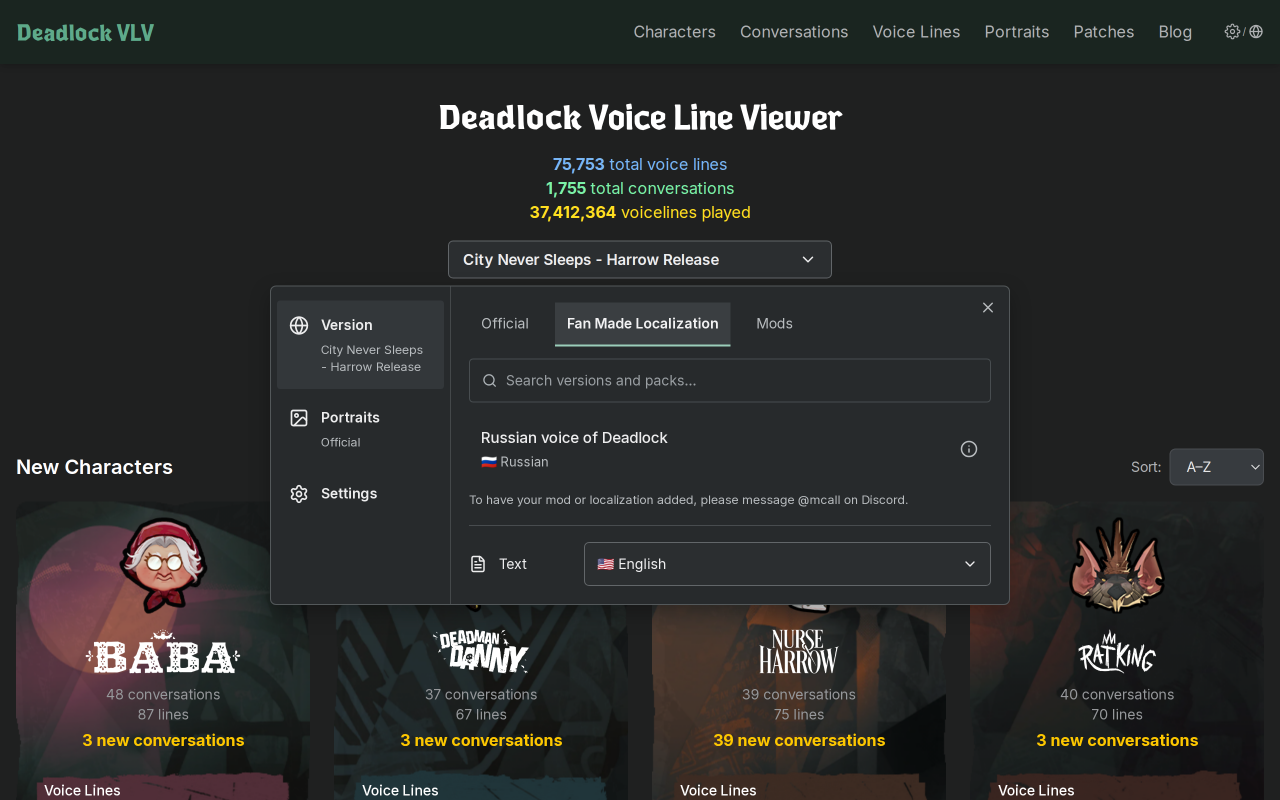
I've also overhauled the game version selector to support fan-made content and make portraits easier to manage.
I'm also working with Ukrainian and Brazilian dubbers and hope to have their voice packs on the site in the future. If you're involved with a fan dub or voice mod and would like to have it on the site, please get in touch.
VLViewer in Discord
There's now a VLViewer Discord bot, so you can find and share clips without opening the website first. It currently supports Deadlock and Apex Legends.
Use /vl to post a voice line or /convo to post a full conversation. Search for a quote, choose a character, or run either command without a search query for a random clip. You can choose the game version too.
For a search, use /voiceline or /conversation. You can listen before posting a clip with Share in this channel.
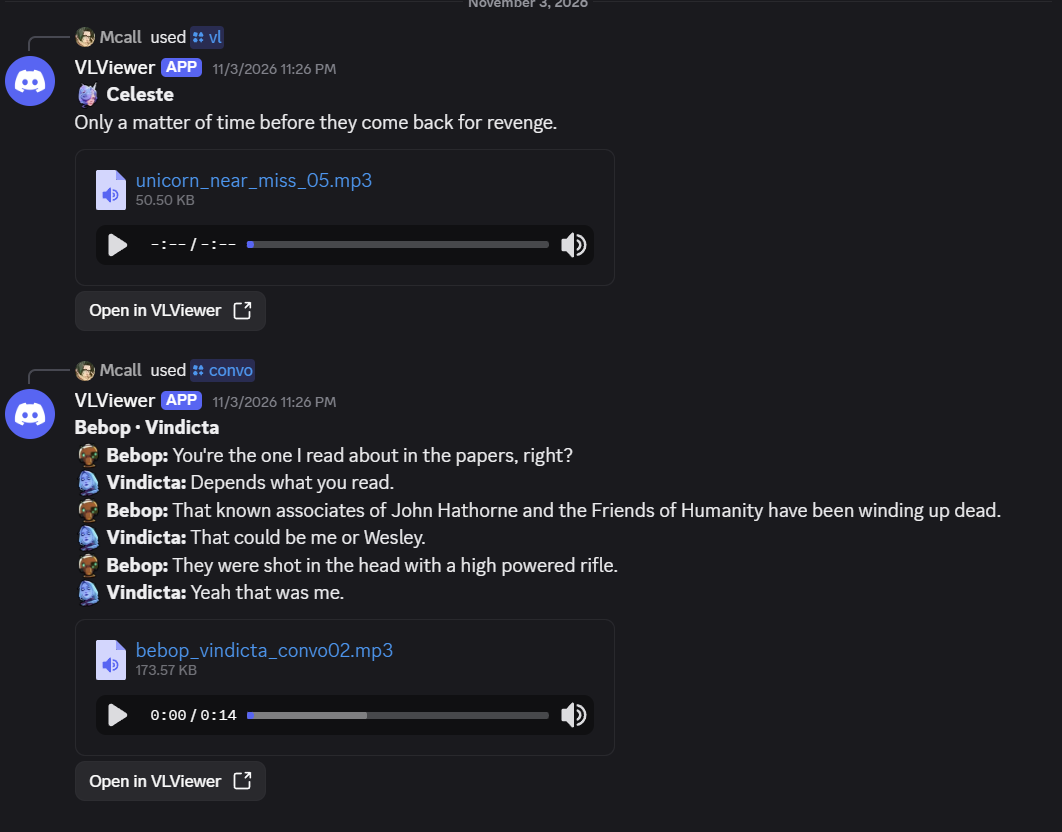
You can add the bot to your server here. Server admins can use /setup to choose the default game and version.
The bot only receives the commands you send to it. It can't read other messages in your server.
Custom Conversations With Audio
The custom conversation builder can now use actual voice recordings! Pick lines from the library, put them in the order you want, and listen to your own conversation. You can use standalone voice lines or dialogue from existing conversations, including recordings from different game versions.
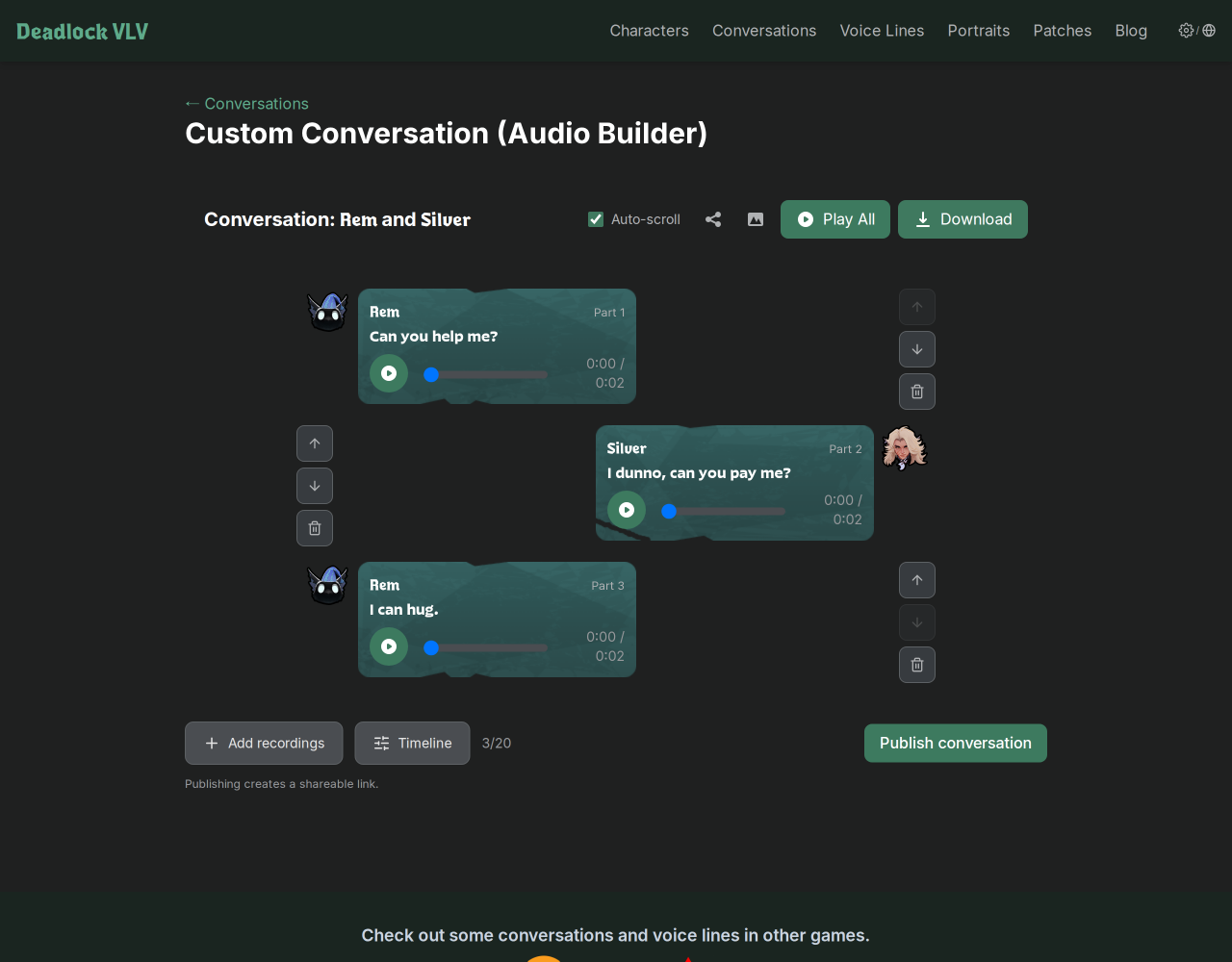
Open the Audio Builder to start from scratch, or open an existing conversation and choose Remix Convo -> Use Voice Lines to start with its recordings. Add recordings lets you search for more lines and listen to them before adding them.
There's also a Timeline button for changing when each recording starts. You can leave a longer pause, bring the next line in sooner, or have the characters talk over each other.
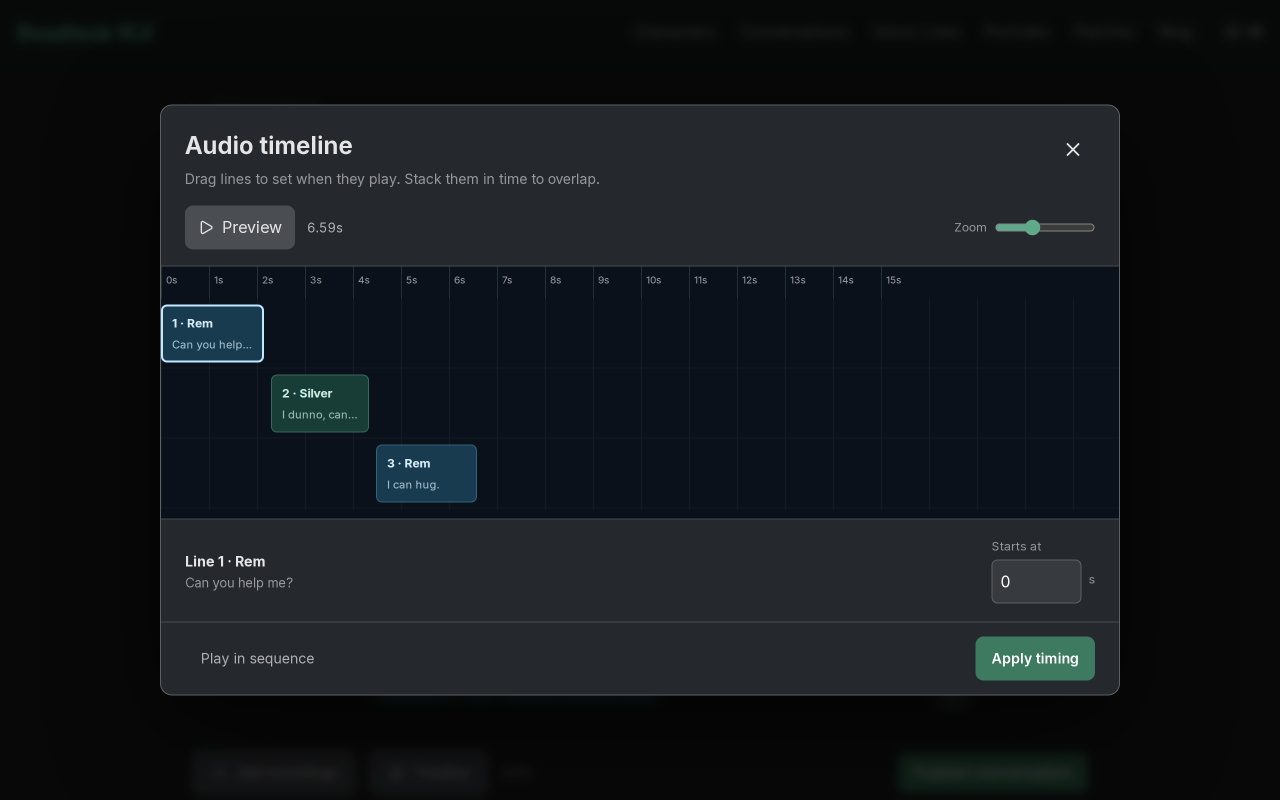
Once you're happy with it, Publish conversation creates a shareable link.
Two More Conversation Styles
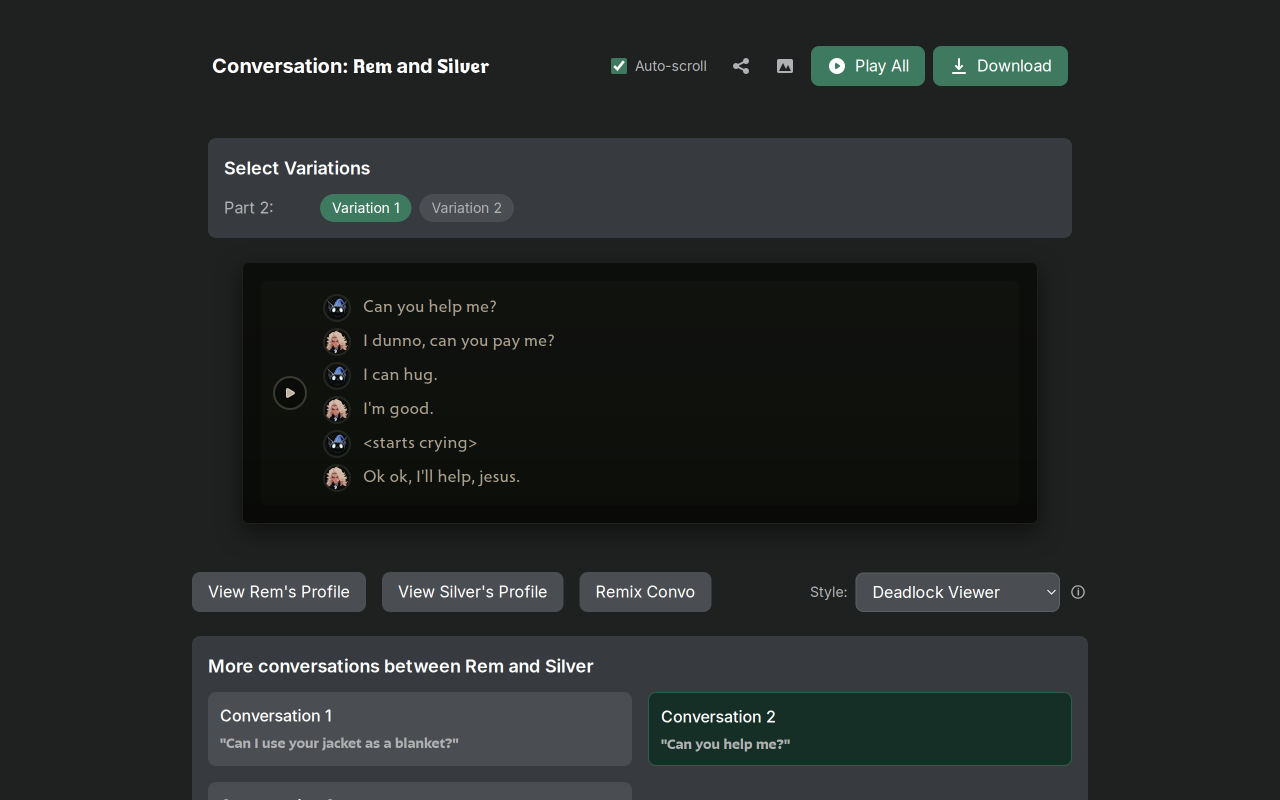
I've added two more styles to the conversation viewer: Deadlock Viewer and Wiki.
Deadlock Viewer is based on the game's own voice-line viewer.
Wiki is based on the conversation tables on the Deadlock Wiki, complete with the orange play buttons.
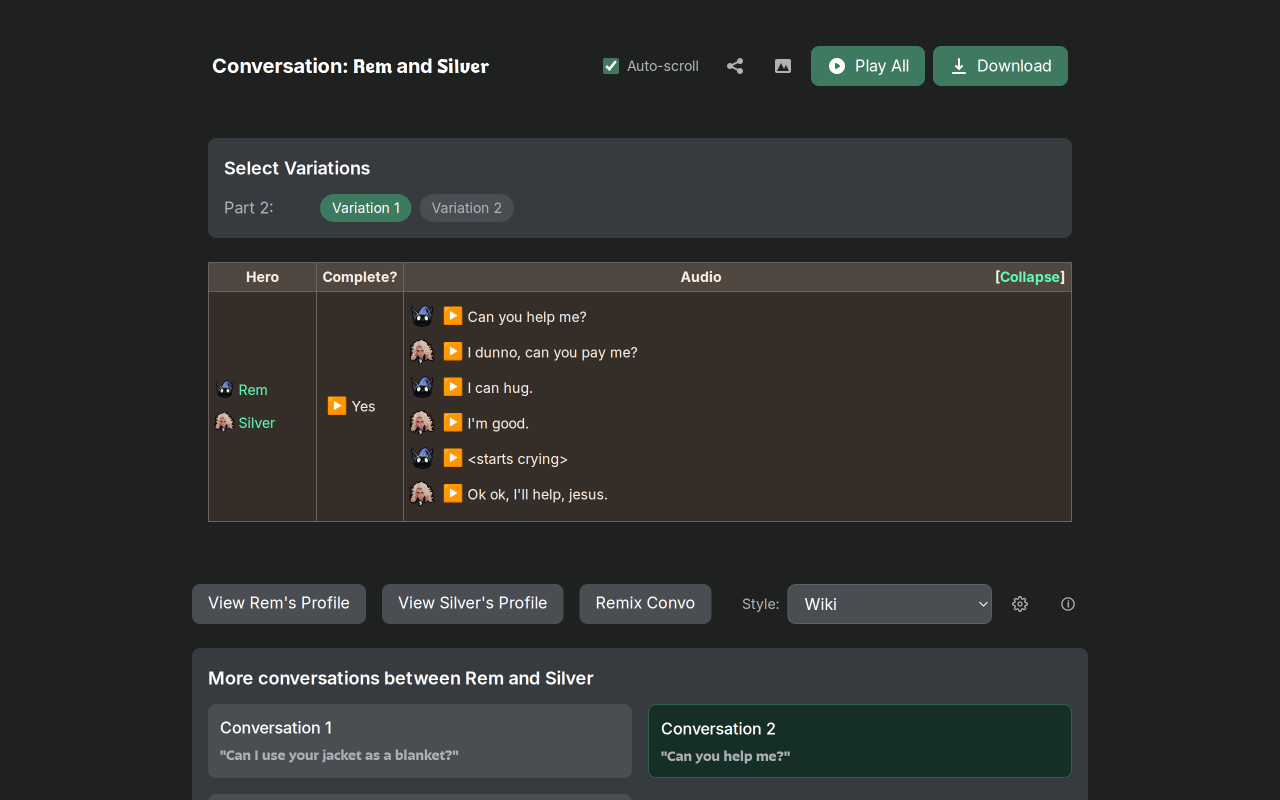
You can find both in the Style selector below a conversation.
Conversations With In-Game Timing
Where the game's timing data is available, the conversation player will now match Valve's intended timing.
I'm still a bit stunned by how much people are using VLViewer. Even with City Never Sleeps adding an in-game voice-line player, the site is more popular than ever, with over 10 million voice lines played and hundreds of thousands of visitors during the update period. I'm really glad people are finding it useful, and I appreciate everyone who's been correcting transcripts, suggesting tags, and sending feedback. If you have ideas for what else you'd like to see, please leave them in the VLViewer thread on the Deadlock Discord.