VLViewer 2.0
Bringing Deadlock, Apex, and Overwatch to parity while adding a ton of new stuff.
If you know VLViewer (and I'm assuming you do if you're reading this), you probably know it for the Deadlock site. However, there have been Apex and Overwatch versions since the start. They haven't always been as polished or as up to date as Deadlock. The Apex one was particularly dismal.
But no more. Overwatch and Apex are now first-class citizens, with the same core tools for browsing, searching, and comparing voice lines and conversations.
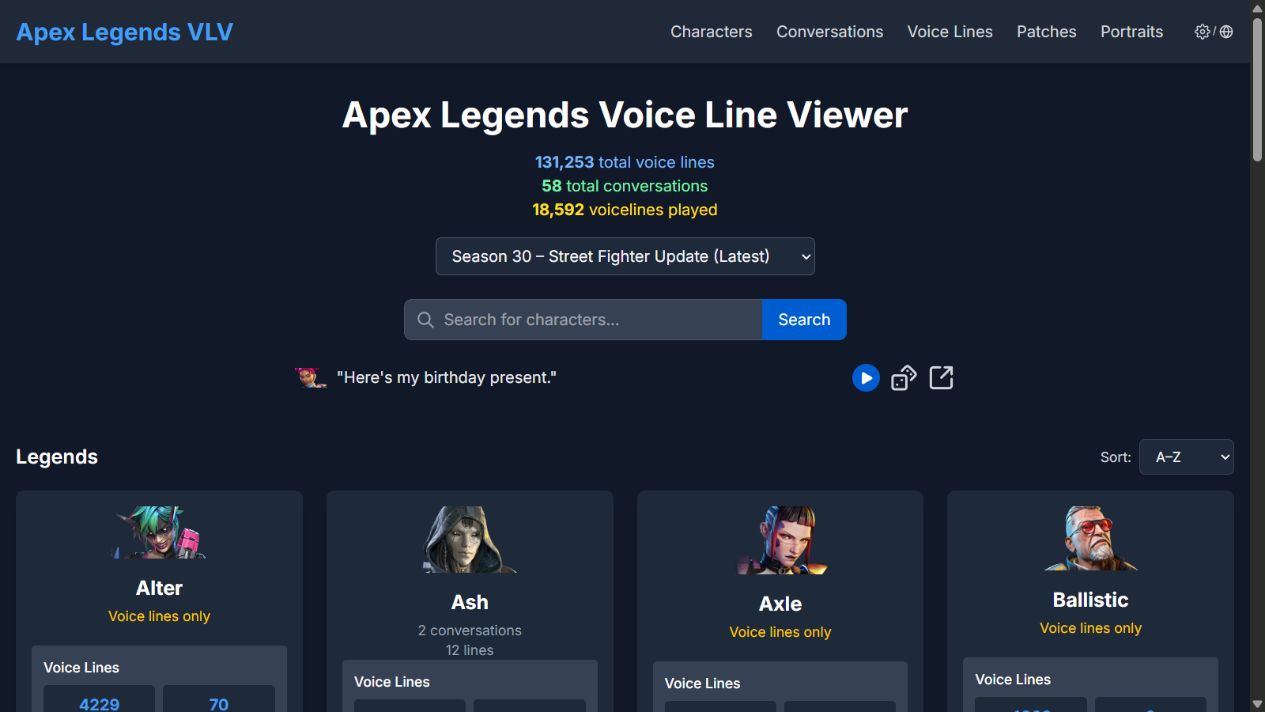
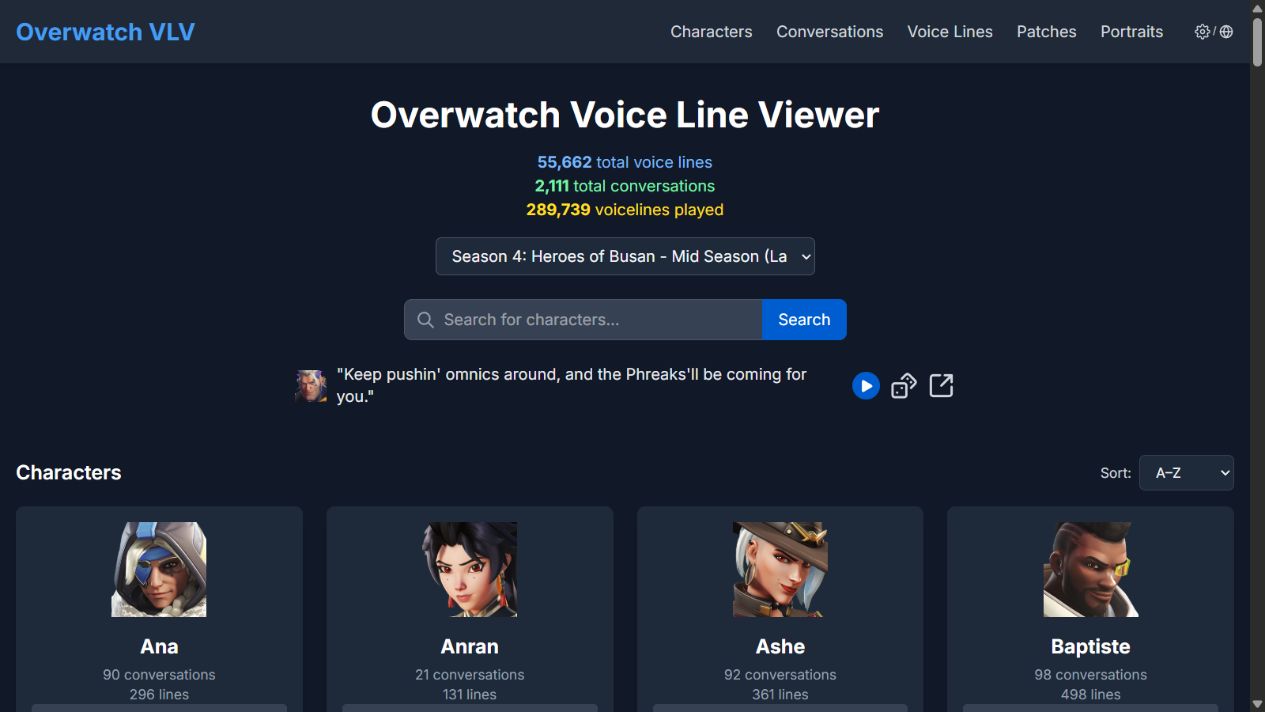
This comes alongside a ton of other changes. Behind the scenes, I've reworked how the sites are built and how game content is delivered, making it easier to deploy updates across all three games. On the site itself, there are historical game versions, version comparisons, better sharing, and plenty of smaller things you may have noticed over the past few weeks. Let's go over some of them.
Multiple Game Versions
You can now browse older game versions instead of only seeing the latest one. Deadlock's archive goes all the way back to its earliest public builds, and the lists for Apex and Overwatch are growing too.
Pick a version from the Game version dropdown on the homepage to browse its voice lines and conversations, including dialogue that's since been changed or removed.
Version Diffs
You can also compare two versions to see what changed between them. The Patches page breaks changes down into added and removed lines, changed audio, transcript edits, moved lines, and conversation changes. You can narrow things down by character or search for something specific, then listen to the before and after recordings.
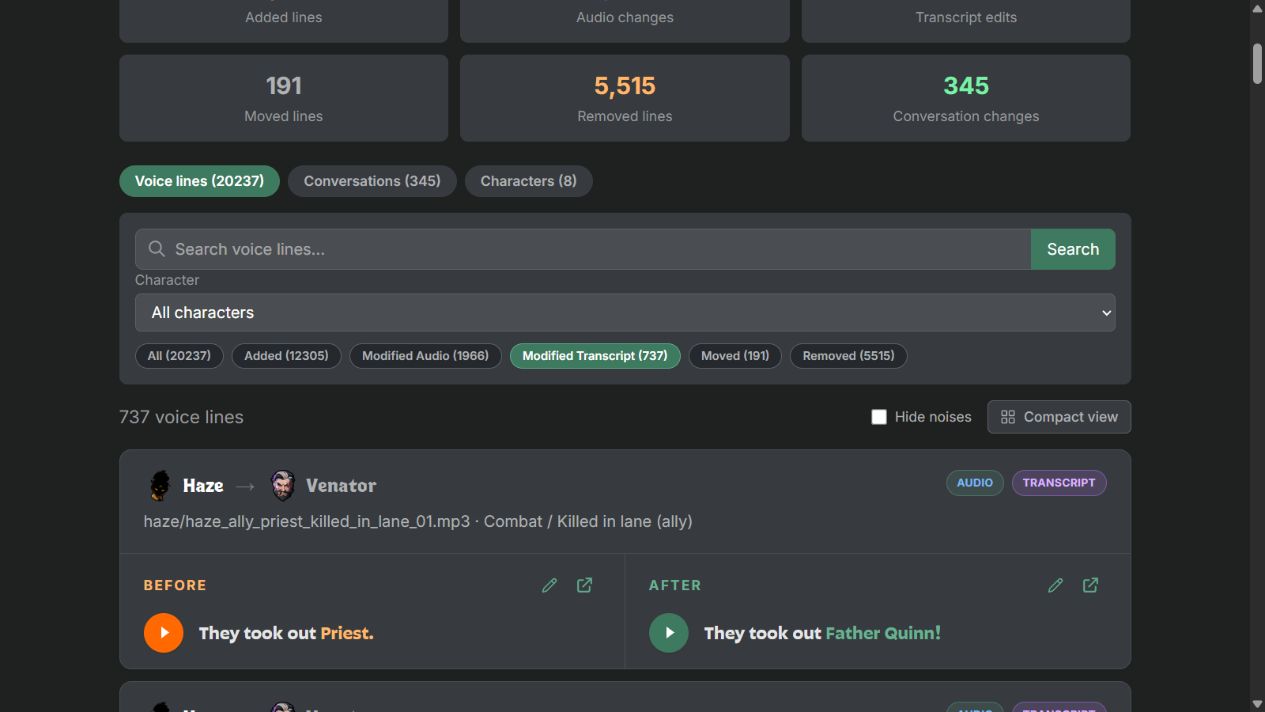
There's plenty of interesting stuff to discover here, including in Overwatch and Apex (which surprised me). Try the Patch Explorer for Deadlock, Apex, or Overwatch.
Discord Embeds
Links to voice lines and conversations now get playable video previews in Discord! These are new too. They're FxTwitter-style embeds, based on Bluesky cards, that let you read the transcript and play the audio right in the chat. A big thanks to the FxEmbed project, which powers FxTwitter and FixupX, for making its X/Twitter embed source code available.
For pages without videos, I'm also using Discord's new component embeds to provide richer link previews. If you're curious about how those work, here's Discord's documentation proposal.
You may have noticed those component embeds on voice-line and conversation previews for a while too. Unfortunately, that combination was too prone to breaking, so those pages now use the new FxTwitter-style video previews instead.
Conversation Lines in Voice-Line Search
Searching for a voice line now also searches dialogue from conversations, with those matches appearing below the regular voice-line results. If you remember a quote but don't remember whether it was a standalone line or part of a conversation, you can look for it in one place.
Deadlock-Specific Updates
More Portrait Options
There are now seven fan-made portrait packs to choose from, including Art Brawl Portraits, Catlock, Heavy Shadows, Jill, Remlock, Robo's Deadlock Portraits, and Toasted. That's in addition to the official portraits and their different variants.
I've also added a Portraits gallery where you can browse the packs, explore their variants, and find credits for the artists and modders behind them.
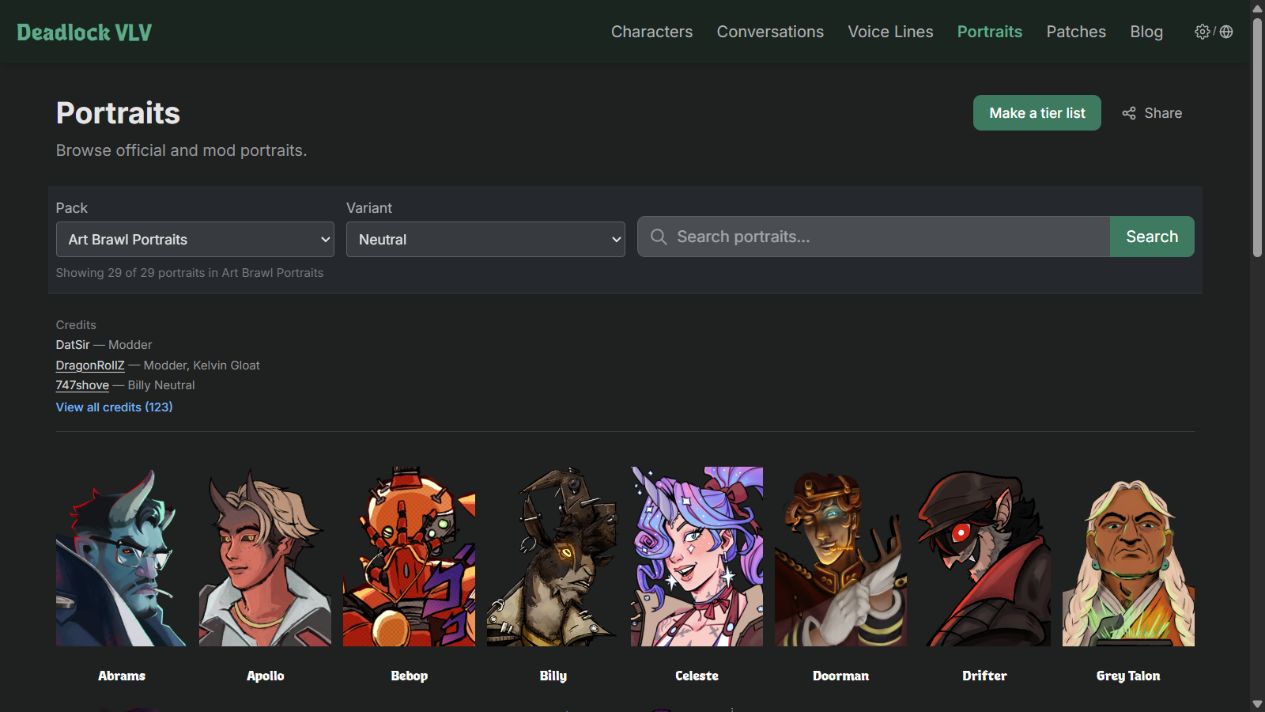
You can also make tier lists using your favorite artists' portraits, so your character rankings can have a look of their own.
New Conversation Styles
Back in the May update, I mentioned wanting to add more conversation views inspired by Deadlock's in-game chat. Those are here now! Top Chat and Old Top Chat join Game Chat, so you can choose a look inspired by either the current game or its pre-2026 chat.
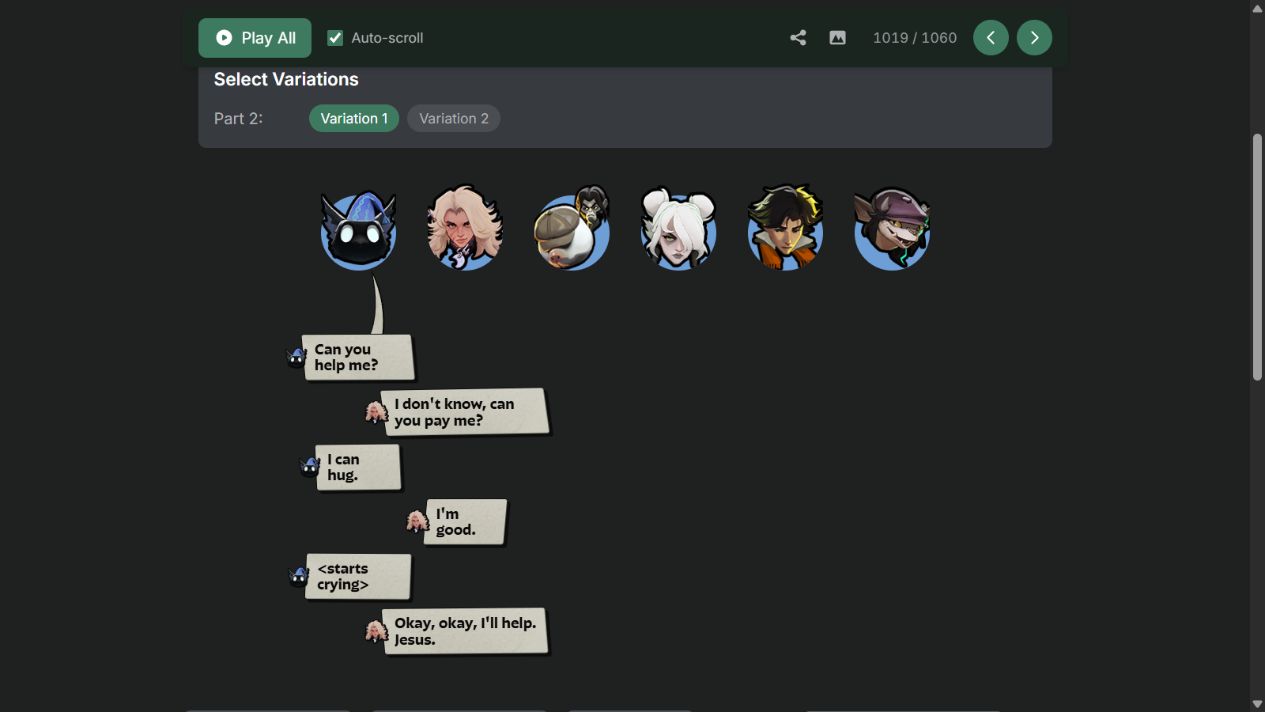
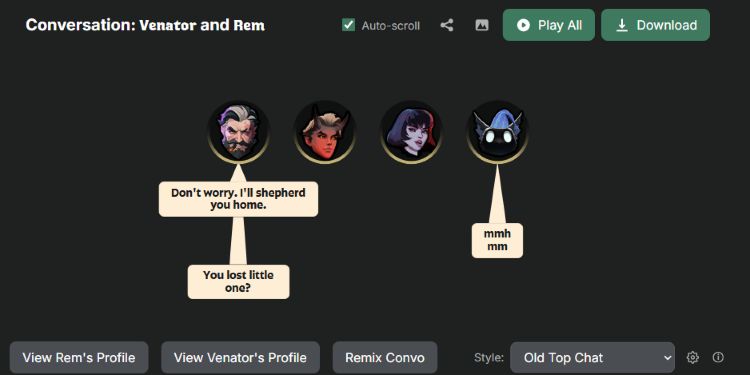
Open a conversation and use the Style selector below it to try them out. Each style has its own settings, so have a look through those too. Here's the Rem and Silver conversation shown above.
A New Transcript Editor
For Deadlock lines that still rely on speech-to-text, there's now an editor for suggesting corrections directly on the site. You can listen to related recordings, fix the text, and merge transcripts when recordings from different versions say the same thing. If a recording belongs on its own, you can separate it out too.
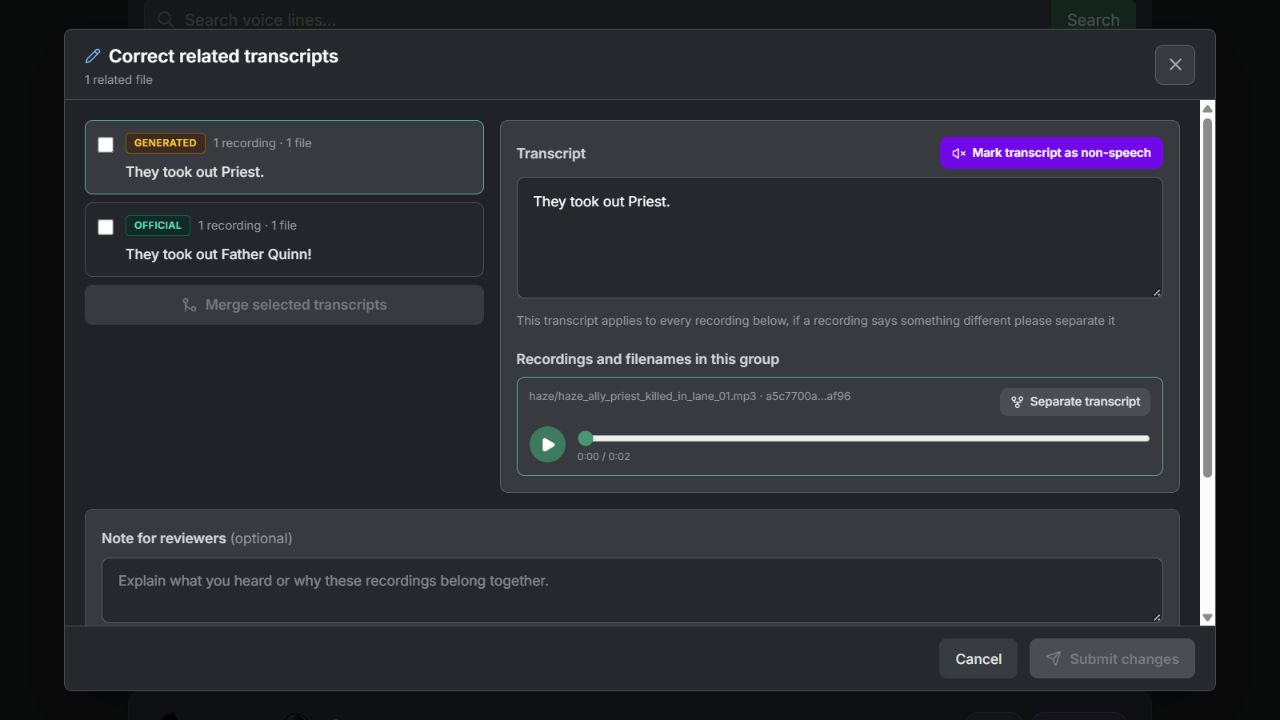
You can also mark a recording as non-speech when it's a grunt, noise, or other sound that speech-to-text has mistaken for words. Your changes are submitted for review, and official transcript text stays protected from direct edits.
A Few Other Changes
There's been a lot going on, so here are a few more additions worth checking out.
-
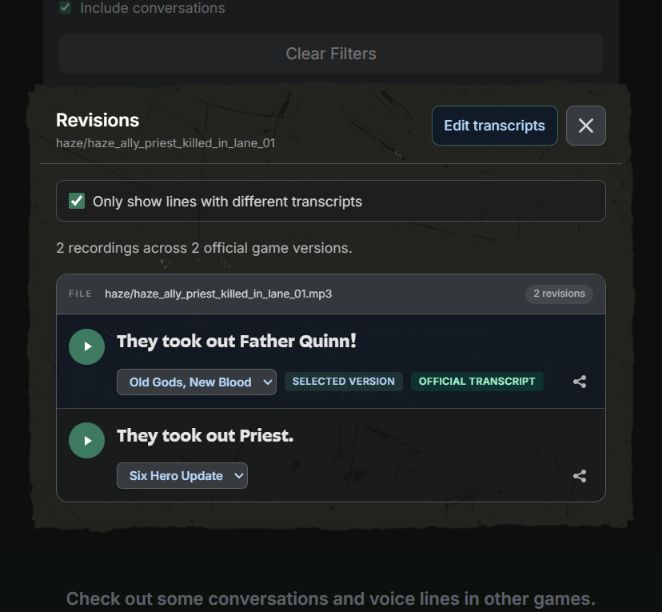
Individual voice-line history. The Revisions window lets you listen to different recordings of a line, compare transcripts, and share a specific version. You can also use the Audio differences and Transcript differences filters on the voice lines page to find lines that have changed across versions.

Click the Revisions icon to the left of the share button to open the window below.
-
More conversation filters. Overwatch conversations can now be filtered by map, setting, and content type where the game data supports it. Some also have a Trigger Conditions section showing the conditions associated with their lines. These features are only available for Overwatch conversations for now, but I'll be adding them to voice lines and Deadlock in the future.
-
More options for custom conversations. You can remix an existing conversation, give individual lines their own speaker names and portraits, and use uploaded images for local previews and screenshots. Shared custom conversation links now remember the selected conversation style too.
-
Random homepage quotes. The homepage now has playable quotes from the selected game version, with a button to get another quote and a link to open the original voice line or conversation.
-
Shortcuts to removed Deadlock dialogue. Some unfinished characters now have links on their pages that take you straight to their archived voice lines. I'll add more of these shortcuts in the future.
-
More character artwork. Deadlock's character directory now uses the same styled cards as the homepage, and character backdrops can use artwork from the selected game version.
-
Performance and mobile improvements. I've improved caching and reduced repeated work when browsing, along with fixes for mobile menus, portrait pickers, scrolling, and screenshot exports on iOS and Firefox.
A big thanks to everyone who has contributed corrections, made portrait packs, reported bugs, or suggested features. If you have more ideas, please leave them in the VLViewer thread on the Deadlock Discord.